
- Why Testing Is One of the Best Skills for Moms Who Want to Work from Home
- Best Platforms to Get Paid to Test Websites and Apps From Home
- Freelancing on Upwork & Fiverr — Get Paid to Test Websites and Apps Directly for Clients
- How to Combine These Platforms Smartly as a Mom
- Expert Tips From a Tester Mom Who's Been Through It
- Mistakes to Avoid
- FAQ: How to Get Paid to Test Websites and Apps From Home
- Platform Quick-Reference Summary Table (Based on My Personal Experience)
- Conclusion: You Can Get Paid to Test Websites and Apps — Starting Today
Let me tell you something that most “work from home” posts won’t: not every platform is worth your time. I’m a software tester by profession, and when I became a mum and couldn’t return to a full-time office role, I did what any techie mum would do — I searched obsessively for real ways to get paid to test websites and apps that would actually use my QA skills and fit around nap times and baby care.
I tried them. I signed up, completed the tests, read the forums, waited for payments, and yes — got frustrated more than once. This post is what I wish someone had written before I started. It’s honest, it’s specific, and it’s written by someone who has actually been through the process — not someone who just scraped descriptions from a website.
A note before we begin: All pay rates and earning details in this post are based on my own personal experience as a tester on each platform. Rates can vary by country, project, device, and rating level — so treat these as real-world examples, not guaranteed figures.
If you’re a mum with a QA or testing background — or just tech-savvy and wondering whether you can genuinely get paid to test websites and apps from home — keep reading. This is for you.

Why Testing Is One of the Best Skills for Moms Who Want to Work from Home
Before I get into the platforms, I want to say this clearly: if you want to get paid to test websites and apps around your family’s schedule, software testing is one of the most genuinely flexible skills you can offer. You don’t always need a fixed schedule. A lot of testing work is asynchronous — you get a test cycle, you complete it in your own time, you submit. That matters enormously when you have a baby on your hip.
Yes, there are challenges. If your little one is currently going through a rough sleep patch (and if you’re dealing with the 4-month sleep regression, you’ll know exactly what I mean), getting focused hours is hard. But testing work tends to forgive that in a way a traditional 9–5 job simply cannot.
The platforms I’m reviewing below split into two types:
- Crowdtesting platforms — you join a tester community, get paid per bug found or per hour, and work on your own schedule
- Freelance marketplaces — you build a profile, pitch clients, and get hired for testing projects directly
Both are real ways to get paid to test websites and apps from home. I’ve used both. Here’s everything I’ve learned.
Best Platforms to Get Paid to Test Websites and Apps From Home
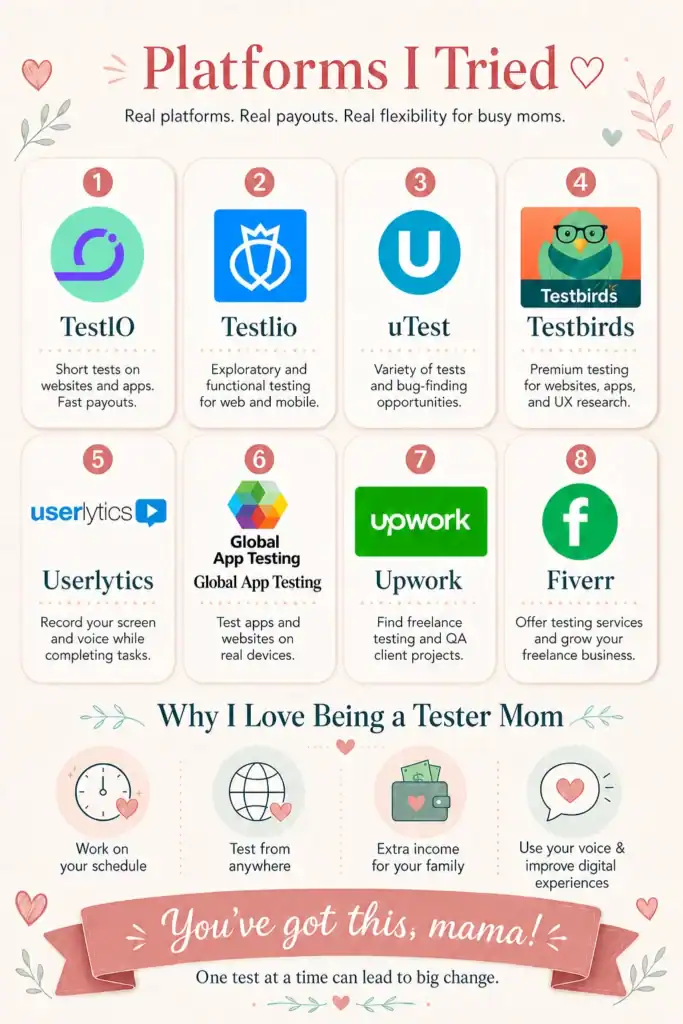
⭐ A quick honest note: I’ve used all these platforms, but TestIO is my personal favourite and where I’ve earned the most. I’m listing it first because this blog is about real experience — not just what sounds good on paper.
1. TestIO — My #1 Way to Get Paid to Test Websites and Apps ❤️ Personal Favourite
Crowdtesting (managed testing + bug bounty)
Per accepted bug — varies by bug type and severity
(see full breakdown below)
Automatically on the 11th of each following month
no minimum threshold
Detail-obsessed testers who enjoy hunting bugs and writing thorough reports
TestIO has the most layered pay structure of all the platforms I’ve tried — and once I understood it properly, I realised there’s more earning potential here than it first appears. Let me break it down exactly as I’ve experienced it, because most reviews get this wrong.
TestIO Bug Pay — From My Personal Experience:
| Bug Type | Pay |
|---|---|
| Visual Bug | $1 |
| Content Bug | $1 |
| Functional Bug (Low) | $1–$3 |
| Functional Bug (High) | $3–$6 |
| Functional Bug (Critical) | $7–$16 |
But it doesn’t stop there — here’s what most people don’t know:
Reproductions — and this is something most reviews explain completely wrong, so let me be clear from my own experience. Reproduction is not about someone reproducing your bug. It works the other way around:
When another tester submits a bug report and it gets approved by the team lead, you can go in and try to reproduce that bug on your own device. You record a short screencast — under 15 seconds — showing whether the bug appears on your device too. You submit this as a reproduction. The team lead then reviews your screencast and decides whether to approve it.
Only if the team lead approves your reproduction do you get paid. No approval = no pay. This is important to understand — you can submit many reproductions and only some will be accepted.
Reproduction is only available for functional bugs (low, high, and critical) — not visual or content bugs.
The pay from my personal experience:
- Reproduction on a low functional bug (~$3.10 bug) → approximately $0.30
- Reproduction on a high or critical functional bug → can go up to a maximum of around $0.60
It’s a small amount per reproduction — but if you’re active on a test cycle with many accepted bugs, these add up meaningfully. And it’s a great way to earn extra during the same cycle without writing a new full bug report.
Customer Approval Bonus: If the client (customer) approves and accepts your bug, you receive an additional 10% bonus on top of the bug payout. So if your critical bug was paid at $16, the customer approval adds another $1.60 on top.
User Stories: These are scenario-based test cases you write based on the product brief. If your user story is approved by the team lead, you earn $0.25 per approved user story.
Team Lead Likes: If a team lead likes your bug — not just approves, but actively marks it as excellent — you receive an additional $2.50 bonus. This doesn’t happen on every bug, but when it does, it’s a meaningful boost.
A real example of how earnings stack on one test cycle (my personal experience):
Say you submit a critical functional bug that gets paid at $16 → the customer approves it, adding +$1.60 → the team lead likes it, adding +$2.50 → separately, you spot another tester’s approved bug and successfully reproduce it in under 15 seconds on your device, team lead approves your screencast → +$0.60 in reproduction pay. That’s a single test cycle potentially earning you well over $20 from layered sources — and none of it requires anything beyond quality, attention to detail, and knowing how the system works.
All amounts above are from my personal experience — actual payouts vary by project and team lead decisions.
The instructions per cycle are detailed and long — expect to spend 30+ minutes just reading before you start testing. That’s not ideal when you have a limited window during naptime. But the upside is: there’s no minimum payout threshold, so every euro/dollar you earn gets paid to you automatically.
What I loved: The layered earning system rewards quality deeply — good testers genuinely earn more. No payment threshold. Screencasts/video evidence are part of the process, which sharpens your reporting skills.
What to know going in: You need to understand the bug classification system well before you start. Submitting a critical bug that gets downgraded to low is frustrating. Read the brief carefully every single time.
Verdict for moms: ⭐⭐⭐⭐⭐ — My top pick, hands down. TestIO is genuinely one of the best ways to get paid to test websites and apps if you write quality reports. The earnings stack up in a way no other platform matches.
2. Testlio — Best for Moms Who Want Steady, Predictable Hourly Pay
Crowdtesting platform (hourly pay)
$10–$35/hour depending on your country and role
PayPal or Payoneer, paid weekly after test cycle completion
Moms with QA experience who want consistent, structured income
Testlio is the platform I’d recommend to any mum who wants income she can actually plan around. Unlike TestIO where you earn per bug, Testlio pays by the hour — which means you know what you’re getting before you even start a session.
To get started, you complete a series of assessments. They’re thorough — but if you have real testing experience, you’ll pass. Once you’re in, test cycle invitations come to you. The pay differs by country tier: Tier 1 countries (UK, US, Australia) start at $18/hour for manual testers and go up to $35/hour for automation testers.
What I loved: Predictable income — no guessing how many bugs you’ll find. Professional test environment with real tech company projects. Weekly payment is rare in this industry and genuinely helpful for budgeting.
What to know going in: The assessment bar is real — don’t rush it. Earnings grow as you build your rating, so the first couple of months can feel slow.
Verdict for moms: ⭐⭐⭐⭐⭐ — Excellent for reliable income. Best paired with TestIO — Testlio gives you the steady hourly base, TestIO gives you the rewarding bug bounty top-up.
3. uTest (by Applause) — Biggest Community, Steeper Learning Curve
Crowdtesting community platform
$14–$50 per bug depending on the project
(from my personal experience)
Twice monthly — on the 15th and the last day of the month via PayPal
Experienced testers willing to invest time upfront
uTest is one of the most well-known platforms to get paid to test websites and apps — with over a million testers worldwide and clients including Uber, Starbucks, and Mastercard. It’s a professional community — not just a side-hustle site.
Here’s the honest truth about uTest: the first few months are slow. You need to build your profile, add all your devices, and pass a sandbox test before accessing paid projects. New testers can only submit 5 bugs per day, which feels limiting at first.
From my personal experience, bug pay on uTest ranges from $14 to $50 per accepted bug, depending on the project and severity. That’s higher per bug than TestIO — but bugs must be accepted, and the rejection rate for new testers is significant until you master the reporting style.
uTest also has a fantastic free Academy — courses, forums, and practice cycles that are genuinely useful for mums returning after a career break.
What I loved: The learning community is excellent. Real projects from major brands. Predictable payment schedule.
What to know going in: Slow build. Don’t expect meaningful income in month one — consistency matters more than volume.
Verdict for moms: ⭐⭐⭐⭐ — Solid long-term platform. Worth building alongside TestIO once you’re established.
4. Testbird — Good for European & Multilingual Testers
Crowdtesting (usability, UX, compatibility, localization testing)
Project-based — generally €5–€30+ per test
varies by project
Via PayPal
timing varies by project
Moms in Europe, multilingual testers, and UX-focused testers
Testbird is a Munich-based platform where you can get paid to test websites and apps with a focus on usability and localisation — meaning they want to know how real users experience a product across different languages and regions. This is a key difference from uTest or TestIO.
If you’re multilingual (and many mums are!), Testbird is worth your attention — they specifically seek testers who can evaluate products in different languages for different regional markets. They’re also ISO 27001 certified, which means security is taken seriously.
What I loved: Variety of testing types — not just bug hunting. Multilingual opportunities. Reputable, secure company.
What to know going in: Test invitations can be infrequent depending on your location and time zone. Build patience — this is not a high-volume platform for most testers.
Verdict for moms: ⭐⭐⭐ — Solid supplementary platform. Sign up and keep your profile updated so invites find you.
5. Userlytics — Get Paid to Test Websites and Apps Through UX Research
User experience research testing
$3–$90 per test depending on the project
from my personal experience
PayPal, within 15 days of test approval
Moms who prefer UX feedback over technical bug reporting
Userlytics is one of the more relaxed ways to get paid to test websites and apps — because here, you’re not hunting bugs. You’re providing feedback on how intuitive and usable a product is. You record your screen and voice (sometimes webcam) as you complete assigned tasks, sharing your honest thoughts out loud.
From my personal experience: you don’t browse for tests on Userlytics — they invite you. When an invitation lands in your inbox, you click, qualify, and complete the session. Pay varies quite a lot by project — I’ve seen as low as $3 for a quick 10-minute task and as high as $90 for a longer, more specialised study. Most standard sessions fall somewhere in the $10–$30 range.
Moderated sessions (where a researcher joins live) tend to pay significantly more than unmoderated ones, so if you get invited to those — accept them.
What I loved: No deep technical knowledge needed. Accessible to testers at various skill levels. A wide variety of products tested — websites, apps, prototypes.
What to know going in: Tests arrive on a first-come, first-served basis. You need to respond quickly. Payment within 15 days means it’s not instant cash.
Verdict for moms: ⭐⭐⭐⭐ — Great for flexible income alongside other platforms. Especially good if you have a UX or product background.
6. Global App Testing (GAT) — Invitation-Based, Variable Pay, Worth Watching
Enterprise crowdtesting (functional, regression, usability)
Varies by project
usability test invitations can pay around $45
from my personal experience
Varies by project
Experienced testers comfortable with professional enterprise environments
Global App Testing is used by companies like Facebook and Google — which tells you exactly the quality bar expected. If you want to get paid to test websites and apps for some of the world’s biggest brands, GAT is worth having on your radar. They also send out usability testing invitations — in my experience, these can pay around $45 for a focused session.
It’s harder to break into than other platforms — their community is selective and project frequency varies. But when invites do arrive, they’re worth taking.
What I loved: High-quality, purposeful projects. Usability invites pay well for the time required.
What to know going in: Don’t rely on this as a primary income platform. Treat each invitation as a welcome bonus on top of your TestIO and Testlio work.
Verdict for moms: ⭐⭐⭐ — Keep your profile active and accept invitations when they come. Not a daily earner, but a solid supplementary one.
Freelancing on Upwork & Fiverr — Get Paid to Test Websites and Apps Directly for Clients
Here’s something the platform-only approach won’t give you: consistent, predictable income. Crowdtesting platforms pay per bug or per test — but freelancing lets you charge by the hour or by the project and build actual client relationships. If you want to get paid to test websites and apps at your own rates — this is where that happens.
Upwork — Best for Experienced Testers
Upwork has nearly 1,000 open QA tester jobs at any given time. Clients range from startups needing a one-off manual test to enterprises needing ongoing QA support. As a mum with testing experience, you can genuinely compete here — and charge accordingly.
Getting started on Upwork:
- Complete your profile fully — add every testing skill you have (manual, regression, UAT, mobile testing, API testing, etc.)
- Write your bio in first person and mention your specialisms clearly
- Start with slightly lower rates to build reviews — once you have 3–5 five-star reviews, increase your rates
- Apply to jobs with personalised, specific proposals (not copy-paste templates)
- Aim for “Rising Talent” badge as early as possible — it dramatically increases visibility
Realistic rates: Entry-level QA testers on Upwork typically start at $15–$25/hour. Experienced testers with a solid profile earn $35–$75/hour. Automation testers command even more.
Fiverr — Best for Creating Testing Packages Clients Can Buy
Fiverr works differently from Upwork. Instead of applying to jobs, you create gigs — packaged services that clients browse and purchase. For testers, this might look like:
- “I will manually test your website for bugs and UX issues” — £50/basic test
- “I will perform regression testing on your web app” — £80 per cycle
- “I will test your mobile app on iOS and Android” — £60 basic
Getting started on Fiverr:
- Create 2–3 well-titled gigs using keywords like “get paid to test websites and apps” in your gig description
- Use keywords like “manual QA testing,” “website bug testing,” “UAT testing,” “mobile app testing”
- Offer a quick turnaround for basic gigs to attract early reviews
- Add screenshots of sample bug reports to your gig portfolio (you can create mock ones)
- Respond to buyer messages within the hour when possible — Fiverr’s algorithm rewards fast response times
Realistic income: Fiverr testers typically earn £200–£800/month part-time once established. Full-time testers with good reviews can earn £1,500–£3,000+/month.
How to Combine These Platforms Smartly as a Mom
One of the most common mistakes is trying to be everywhere at once. Here’s the approach I’d recommend for mums who want to get paid to test websites and apps without burning out:
Month 1–2: Foundation Sign up for TestIO first — it’s where I started and where I earned the most. Read the documentation carefully, understand the bug classification system, and focus on quality over quantity. Sign up for Testlio simultaneously and complete the assessments. Start building your profiles on Upwork and Fiverr in parallel.
Month 3–4: First Income By now you should be active on TestIO test cycles and receiving Testlio invitations. Add Userlytics for quick, lower-pressure UX sessions between testing cycles. Accept early Upwork and Fiverr jobs at competitive rates to build your first reviews.
Month 5 onwards: Scaling With a growing TestIO rating, you’ll start earning more per cycle as team leads recognise your quality. Raise your Upwork/Fiverr rates. Add Testbird or Global App Testing as supplementary income. At this stage, many testers are earning £800–£2,500/month part-time.
This strategy works especially well alongside other flexible remote roles. If you’re managing your schedule around feeding or nap windows, our guide on how often to pump at work can help you map your day more effectively if you’re still in the early baby stages.
Expert Tips From a Tester Mom Who’s Been Through It
List every device you own. Seriously. Phones, tablets, old laptops, smart TVs. Every device is a qualification for more projects on crowdtesting platforms. Don’t leave any out.
Write your bug reports like a developer will read them. Clear steps to reproduce, actual vs expected result, severity, screenshots, device/OS details. The better your reports, the higher your acceptance rate — and your rating.
Don’t quit a platform after one rejection. Rejection is normal in crowdtesting. Study why your bug was rejected and adjust. Platforms like uTest have forums where experienced testers discuss exactly this.
Build a portfolio of sample work. Even mock bug reports, test cases, or a simple test plan document make a huge difference on Upwork and Fiverr where clients can’t see your crowdtesting track record directly.
Keep notifications on. On crowdtesting platforms, tests are claimed first-come, first-served. A 10-minute head start can mean the difference between a test cycle and a missed opportunity.
Mistakes to Avoid
❌ Signing up everywhere at once with a rushed profile. A half-filled profile on five platforms earns less than a complete, polished profile on two.
❌ Treating crowdtesting as your only income source. Platform availability fluctuates. A quiet month on uTest can feel alarming if you haven’t built other income streams alongside it.
❌ Underpricing yourself on Upwork. Many mum testers undercharge because they’re nervous. Research what others in your country charge for similar skills and price accordingly from the start.
❌ Ignoring the academy/training resources. uTest’s Academy is free and genuinely valuable. If you’ve had a career break (and if you’ve been navigating going back to work after baby in any form), these resources help you refresh your skills and boost your confidence.
❌ Expecting instant income. This is not a one-week side hustle. It is a career — just on your terms. Give yourself 2–3 months to build before judging results.
FAQ: How to Get Paid to Test Websites and Apps From Home
Q: Do I need a computer science degree to get paid to test websites and apps?
Not for most of these platforms. Manual testing (finding bugs by actually using an app) doesn’t require coding knowledge. Automation testing (writing scripts) pays more and does benefit from programming skills, but it’s not required to start.
Q: Which platform pays the fastest?
Testlio pays weekly after test cycle completion. uTest pays on the 15th and last day of each month. TestIO pays on the 11th of the following month with no threshold. Userlytics pays within 15 days of test approval via PayPal.
Q: Can I get paid to test websites and apps with a newborn at home?
Yes — but adjust your expectations. Crowdtesting and asynchronous freelance work suits early motherhood far better than a scheduled role. Test during nap times, early mornings, or when your partner is home. Many mums find Userlytics UX tests perfect for this — they take 20–45 minutes and require relatively low cognitive load.
Q: What’s the difference between Testlio and uTest?
Testlio pays by the hour — predictable income once you’re in. uTest pays per accepted bug — variable income that depends on the projects available and your acceptance rate. Many testers use both.
Q: Is Fiverr or Upwork better for a QA tester?
They serve different strategies. Upwork is better for landing long-term client relationships and ongoing QA contracts. Fiverr is better for selling packaged testing services to businesses who want to browse and buy quickly. Both are worth building, but Upwork tends to offer higher-value projects for experienced testers.
Q: What devices do I need?
The more the better, but you can start with just a laptop and a smartphone. Having both an iOS and Android device, plus a Windows and/or Mac laptop, significantly expands your project eligibility on most platforms.
Platform Quick-Reference Summary Table (Based on My Personal Experience)
| Platform | Pay Type | Pay Rate (My Experience) | Payment Schedule | Best For |
|---|---|---|---|---|
| TestIO ❤️ My #1 | Per bug + bonuses | Visual/Content: $1 | Low: $1–$3 | High: $3–$6 | Critical: $7–$16 + stacking bonuses | 11th of next month | Quality-focused testers — my top earner |
| Testlio | Hourly | $10–$35/hr (by country tier) | Weekly | Moms wanting steady, predictable hourly income |
| uTest | Per accepted bug | $14–$50/bug (project-dependent) | 15th & last of month | Bug hunters, community learners |
| Testbird | Per project | €5–€30+ per project | By project | European/multilingual testers |
| Userlytics | Per test (invite only) | $3–$90/test (project-dependent) | Within 15 days | UX-focused testers, flexible schedule |
| Global App Testing | Per project/invite | Varies — usability tests ~$45 | Varies | Enterprise-level, invitation-based work |
| Upwork | Hourly/project | $15–$75+/hr | Weekly/milestone | Client relationship builders |
| Fiverr | Per gig | £50–£300+/gig | Upon delivery + clearance | Packaged service sellers |
Conclusion: You Can Get Paid to Test Websites and Apps — Starting Today
If you’ve spent years as a tester and then stepped back to become a mum, I want you to hear this clearly: your skills didn’t expire. The discipline, the attention to detail, the ability to break a product methodically — that’s still in you. And the good news is that there are now more ways than ever to get paid to test websites and apps from the comfort of your home, on a schedule that works for your family.
Start with TestIO — it’s the platform where I’ve personally earned the most, and once you understand how the bug bonuses, reproductions, and team lead likes stack up, you’ll see why. Add Testlio alongside it for steady hourly pay. Build your Upwork profile in parallel. Add Userlytics for flexibility. Give it three months before you judge the results.
And when the income starts to come in — because it will — you’ll realise that being a mum and a techie was never a contradiction. It was always an advantage.
Disclaimer: Some information in this article is based on my personal experience as a mother. Every mother and baby is different, so experiences and results may vary. Always consult a qualified healthcare professional regarding your health or your baby’s health.